 Kluis
KluisVersion 0.2.1, notarised by Apple
Your secrets,
on your Mac only.
A password vault for the terminal and the desktop. Keys in the Secure Enclave, Touch ID for every read, a backup that survives the Mac, and a page for the people you trust.
- Keys never leave the Secure Enclave
- No account, no server
- Open file format
- Inheritance built in
What it does
Built for the Mac, and for the terminal.
One vault, two keys in the Secure Enclave, and nothing that leaves the machine without you.
Touch ID for every read
Secrets are encrypted to a key in the Secure Enclave. Names and descriptions use a second, silent key.
Terminal and ssh
The
kluiscommand reads the same vault. It fills sudo passwords over ssh and answers key passphrases.Backup and inheritance
A ciphertext copy in iCloud Drive, the key in iCloud Keychain, and printed pages for the people you trust.
Safe for AI agents
Agents run commands with a secret, but never read it. A policy says which entries and commands are allowed.
In the terminal
Same vault, no window needed.
Add, run, ssh. Every read of a secret asks for Touch ID, with the entry and the purpose in the prompt. The vault is a folder of age files, so nothing is locked into Kluis.
Trusted people
A page for the day you are gone.
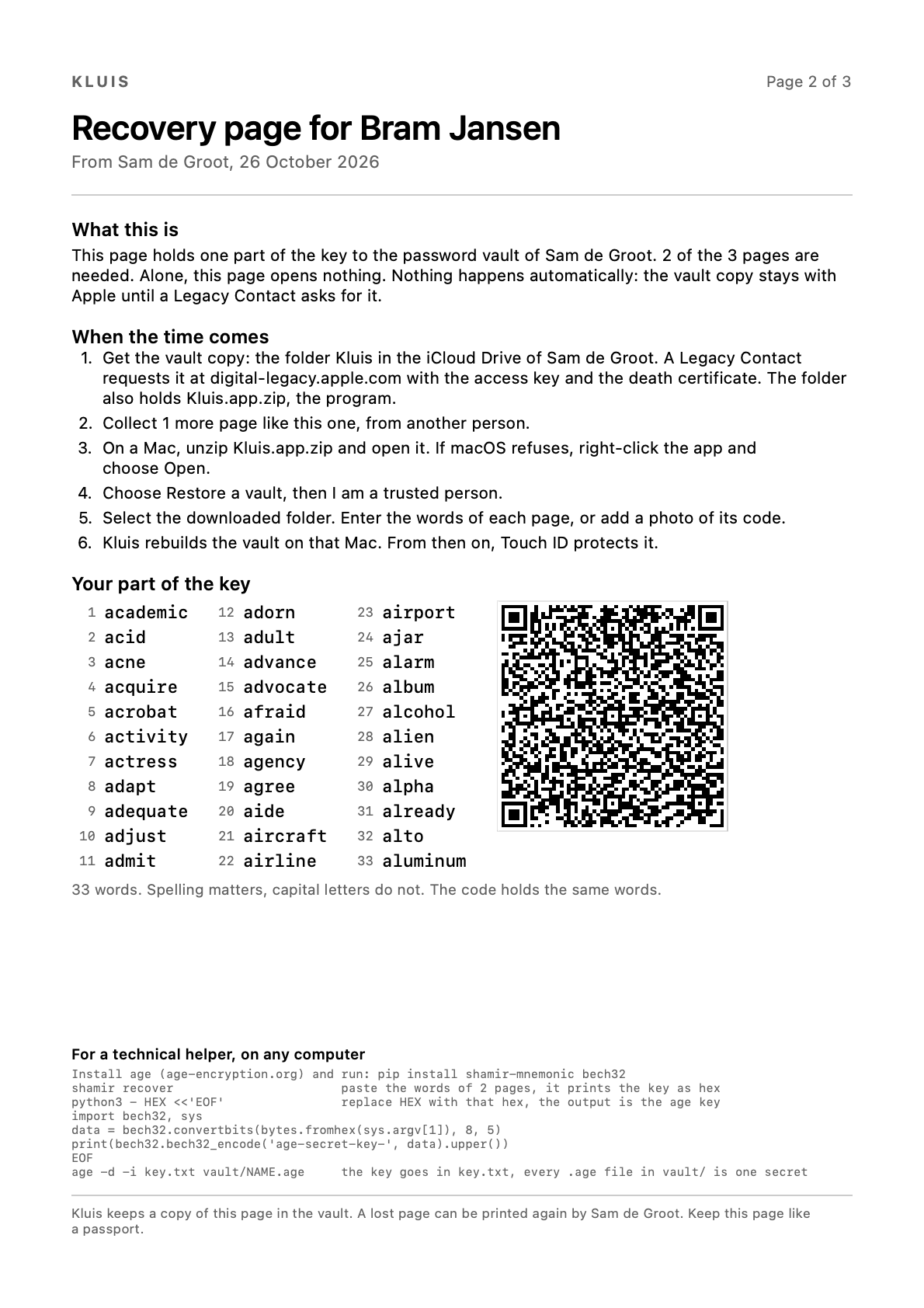
Kluis splits the backup key between two to five people with SLIP-39, a public standard. Each gets one printed page with the words, a code and the steps. Enough pages and the vault copy open the vault. One page alone opens nothing.
How it works
Four keys, one of which can leave.
Everything rests on a small set of keys. Here is where each one lives.
Two keys in the Secure Enclave
One for secrets, with Touch ID. One for names and descriptions, silent, so the app can show them without a prompt. Neither can leave the Mac.
One backup key that can
Protected by a passphrase in a file, and kept in iCloud Keychain for your other Macs. A new Mac restores from the vault copy with this key alone.
Files, not a database
Every entry is an
agefile in a folder. Without Kluis,ageand the backup key open them, on any computer.Pages for trusted people
The backup key is split into printed pages. Enough pages and the vault copy open the vault after you, nothing less does.
Install
One minute, no account.
Kluis checks for updates once a day and installs them only when you say so.
Keep your secrets where they belong.
Free for Macs with Apple silicon and macOS 14 or later.
Download Kluis